Talend has been a widely adopted open-source and commercial ETL platform for over fifteen years. Thousands of enterprises have built mission-critical data integration pipelines using Talend Studio, deploying jobs through Talend Runtime and managing them with Talend Administration Center. But the landscape has shifted dramatically. Qlik’s acquisition of Talend in 2023 introduced new licensing uncertainties, product roadmap questions, and pricing pressures that have pushed many organizations to reconsider their data integration strategy. At the same time, Databricks has emerged as the dominant Lakehouse platform, offering PySpark-native data engineering, Delta Lake storage, Unity Catalog governance, and Databricks Workflows orchestration — all on a unified, open-source-friendly foundation.
This guide provides a deep technical walkthrough of migrating Talend Studio jobs to Databricks. We cover the architectural differences between the two platforms, provide a comprehensive component-by-component mapping table, show real code conversion examples, explain how MigryX automates Talend .item file parsing and PySpark code generation, and give you a practical roadmap for executing the migration at enterprise scale.
Why Talend Teams Are Moving to Databricks
The decision to migrate from Talend to Databricks is typically driven by a convergence of business, technical, and strategic factors. Understanding these drivers is important because they shape the migration approach and the target architecture you should aim for.
The Qlik Acquisition Factor
When Qlik acquired Talend, the immediate impact was uncertainty. Product roadmaps merged, sales teams restructured, and existing Talend customers found themselves navigating a new licensing landscape. Many Talend Open Studio users saw the free tier deprecated or restricted. Enterprise Talend customers faced renegotiations with Qlik’s commercial terms, often resulting in significant cost increases. For organizations that had built hundreds or thousands of Talend jobs over years, this created a strong incentive to move to a platform with more predictable economics and a clearer long-term trajectory.
Licensing and Cost Pressures
Talend’s licensing model was already complex before the acquisition: per-developer seats for Studio, per-core pricing for Runtime, additional costs for Talend Cloud, Data Quality, and MDM modules. Post-acquisition, many customers report that renewal quotes have increased substantially. Databricks, by contrast, charges for compute consumption — you pay for the clusters you run, not for developer seats or deployment servers. For organizations with large Talend estates and many developers, this shift from seat-based to consumption-based pricing can reduce total cost of ownership by 40-60%.
PySpark-Native Architecture
Talend Studio generates Java code under the hood. Every tMap, every tFilterRow, every tAggregateRow is compiled into Java classes that run on the JVM. This was a reasonable architecture in the mid-2000s, but it means that Talend jobs do not natively leverage distributed computing. Running a Talend job on a cluster requires Talend’s proprietary Spark distribution or the tSparkConfiguration component, which adds complexity without delivering the full PySpark ecosystem.
Databricks, on the other hand, is PySpark-native from the ground up. Every notebook, every job, every pipeline runs on Apache Spark. This means that migrated Talend logic immediately gains access to distributed processing, in-memory computation, adaptive query execution, and dynamic resource scaling — capabilities that Talend’s Java execution model cannot match without significant rearchitecting.
Open-Source Foundation
Databricks is built on open-source technologies: Apache Spark, Delta Lake, MLflow, and Unity Catalog (now open-sourced). This means that your migrated code is portable. PySpark notebooks can run on any Spark distribution — Databricks, EMR, Dataproc, or standalone clusters. Delta tables can be read by any engine that supports the Delta protocol. This stands in contrast to Talend, where the generated Java code is tightly coupled to Talend’s proprietary runtime and component library.

Talend to Databricks migration — automated end-to-end by MigryX
Architecture Comparison: Talend vs. Databricks
Before diving into component-level mapping, it is essential to understand how the two platforms differ architecturally. This understanding drives every conversion decision.
Talend Architecture
Talend Studio is a desktop-based IDE (built on Eclipse) where developers design jobs using a visual canvas. Each job consists of components (tMap, tFilterRow, tDBInput, etc.) connected by data flows (called rows) and trigger connections (OnSubjobOk, OnComponentOk, etc.). When a job is built, Talend generates Java source code for every component and compiles it into a runnable JAR. Jobs are deployed to Talend Runtime (an OSGi container) or Talend Cloud for execution. Talend Administration Center provides scheduling, monitoring, and version control.
The key architectural characteristics are: single-node execution by default (unless using Talend Spark components), Java code generation, proprietary component framework, XML-based job metadata (.item files), and tight coupling between design-time and runtime environments.
Databricks Architecture
Databricks provides a cloud-based workspace where developers write PySpark code in notebooks or Python scripts. Notebooks run on managed Spark clusters that can scale from a single node to thousands of workers. Data is stored in Delta Lake tables within a Lakehouse architecture, governed by Unity Catalog for access control, lineage, and discovery. Databricks Workflows orchestrates multi-step pipelines with dependency management, retry logic, and parameterization.
The key architectural characteristics are: distributed execution by default, PySpark/SQL-native computation, notebook-based or script-based development, Delta Lake storage with ACID transactions, and cloud-native autoscaling. This represents a fundamentally different execution model from Talend, and the migration must account for this shift.
MigryX: Purpose-Built Parsers for Every Legacy Technology
MigryX does not rely on generic text matching or regex-based parsing. For every supported legacy technology, MigryX has built a dedicated Abstract Syntax Tree (AST) parser that understands the full grammar and semantics of that platform. This means MigryX captures not just what the code does, but why — understanding implicit behaviors, default settings, and platform-specific quirks that generic tools miss entirely.
Component Mapping: Talend to Databricks
The following table provides a comprehensive mapping from Talend components to their Databricks PySpark equivalents. This mapping is the foundation for both manual and automated migration.
| Talend Component | Databricks Equivalent | Notes |
|---|---|---|
| tMap | .join() + .withColumn() | Lookup joins become DataFrame joins; expression columns become withColumn transformations |
| tFilterRow | .filter() | Row filtering conditions translate directly to PySpark filter expressions |
| tAggregateRow | .groupBy().agg() | Group-by aggregations with SUM, COUNT, AVG, MIN, MAX, etc. |
| tSortRow | .orderBy() | Multi-column sorting with ascending/descending options |
| tUnite | .union() | Row concatenation from multiple sources; use unionByName for schema alignment |
| tJoin | .join() | Inner, left, right, full outer joins with key-based matching |
| tFileInputDelimited | Auto Loader / spark.read.csv() | Auto Loader for incremental; spark.read for batch file ingestion |
| tDBOutput | Delta table write / .write.format("delta") | Insert, update, upsert, delete operations on Delta tables |
| Context variables | Databricks widgets / job parameters | dbutils.widgets.get("param") for notebook; task values for jobs |
| Job | PySpark notebook / job | Each Talend job becomes a notebook or Python script in a Databricks job |
| Joblet | Python module | Reusable Talend joblets become importable Python functions/classes |
| Subjob | Workflow task | Each subjob becomes a task in a Databricks Workflow DAG |
| tLogRow | display() / print() | Debugging output; display() for notebook rendering, print() for logs |
| tJavaRow | PySpark UDF | Custom Java row processing becomes a Python UDF registered with Spark |
| tDBInput | spark.read.format("jdbc") | JDBC source reads with pushdown predicates |
| tFileOutputDelimited | .write.csv() / DBFS write | CSV output to cloud storage or DBFS volumes |
| tReplicate | Variable assignment | Assign DataFrame to multiple variables for downstream branching |
| tNormalize | explode() | Array/delimiter explosion into multiple rows |
| tDenormalize | collect_list() + concat_ws() | Aggregate values back into delimited strings |
| tConvertType | .cast() | Column type conversion using PySpark cast expressions |
| tUniqRow | .dropDuplicates() | Deduplication by specified key columns |
| tFlowToIterate | Python for loop / .collect() | Row-by-row iteration; use collect() to bring rows to driver |
| tContextLoad | dbutils.widgets / config dict | Dynamic context loading becomes widget parameters or config reads |
| tSetGlobalVar | Python global variable | Global variable assignment within notebook scope |
| OnSubjobOk | Workflow task dependency | Sequential task dependencies in Databricks Workflow DAG |
| OnComponentOk | Python control flow | Sequential code execution within a notebook cell |
Understanding Talend .item Files
Every Talend job is stored as a .item file, which is actually an XML document conforming to the Talend metadata model (based on Eclipse EMF). This file contains the complete definition of the job: components, connections, context parameters, metadata schemas, and layout information. To automate migration, you must parse these files accurately.
Anatomy of a .item File
A Talend .item file contains several key sections. The <node> elements define components, each with a componentName attribute (e.g., “tMap”, “tFilterRow”) and nested <elementParameter> elements that capture configuration. The <connection> elements define data flows between components, including the connection type (FLOW, LOOKUP, ITERATE, etc.) and the schema. The <context> section defines context groups and their parameters. The <subjob> elements group components into execution units.
# Example: Extracting component structure from a Talend .item file
import xml.etree.ElementTree as ET

tree = ET.parse("MY_JOB_0.1.item")
root = tree.getroot()

# Extract all components and their types
for node in root.findall(".//node"):
    comp_name = node.get("componentName")
    unique_name = None
    for param in node.findall("elementParameter"):
        if param.get("name") == "UNIQUE_NAME":
            unique_name = param.get("value")
    print(f"Component: {comp_name} ({unique_name})")

# Extract connections (data flows)
for conn in root.findall(".//connection"):
    source = conn.get("source")
    target = conn.get("target")
    conn_type = conn.get("connectorName")
    print(f"  {source} --[{conn_type}]--> {target}")
Parsing tMap Configuration
The tMap component is arguably the most complex Talend component to parse. It contains lookup configurations, join conditions, expression columns, filter expressions, and output routing — all encoded in nested XML within the .item file. A single tMap can perform multiple joins, add dozens of derived columns, and route data to multiple output flows with different filtering criteria.
The tMap’s XML structure includes <mapperTableEntries> for each input and output table, <expression> attributes for derived columns, <operator> attributes for join types, and <filterOutGoingConnections> for output filtering. Parsing this correctly is critical because the tMap typically contains the bulk of a Talend job’s transformation logic.
Code Conversion Examples
Example 1: tMap Lookup Join with Derived Columns
Consider a Talend job with a tDBInput reading orders, a tMap that joins to a customer lookup table and adds a deal tier classification, and a tDBOutput writing the result. Here is the original Talend tMap configuration and the equivalent PySpark code.
Talend tMap Configuration (from .item XML):
# Talend tMap: Main input = orders, Lookup = customers
# Join: orders.customer_id = customers.customer_id (left outer join)
# Expression columns:
#   full_name: customers.first_name + " " + customers.last_name
#   deal_tier: orders.amount >= 10000 ? "enterprise"
#              : orders.amount >= 1000 ? "mid_market" : "smb"
# Output filter: orders.status != "cancelled"
Converted PySpark (Databricks notebook):
# Read source data
orders_df = spark.read.format("jdbc") \
    .option("url", "jdbc:postgresql://host:5432/db") \
    .option("dbtable", "orders") \
    .option("user", dbutils.widgets.get("db_user")) \
    .option("password", dbutils.secrets.get("scope", "db_password")) \
    .load()

customers_df = spark.read.format("jdbc") \
    .option("url", "jdbc:postgresql://host:5432/db") \
    .option("dbtable", "customers") \
    .load()

# tMap equivalent: join + derived columns + filter
from pyspark.sql import functions as F

result_df = orders_df.join(
    customers_df,
    orders_df.customer_id == customers_df.customer_id,
    "left"
).withColumn(
    "full_name",
    F.concat(customers_df.first_name, F.lit(" "), customers_df.last_name)
).withColumn(
    "deal_tier",
    F.when(F.col("amount") >= 10000, "enterprise")
     .when(F.col("amount") >= 1000, "mid_market")
     .otherwise("smb")
).filter(
    F.col("status") != "cancelled"
)

# Write to Delta table (replaces tDBOutput)
result_df.write.format("delta") \
    .mode("overwrite") \
    .saveAsTable("gold.enriched_orders")
Notice how the tMap’s join, expression columns, and output filter are decomposed into chained PySpark DataFrame operations. Each Talend tMap feature maps to a specific PySpark method: lookups become .join(), expressions become .withColumn(), and filters become .filter(). This decomposition preserves the exact semantics of the original Talend logic while enabling distributed execution on Spark clusters.
Example 2: tAggregateRow to groupBy().agg()
Talend’s tAggregateRow groups rows by specified columns and computes aggregations. The PySpark equivalent is straightforward.
# Talend tAggregateRow:
#   Group by: region, product_category
#   Operations: sum(amount), count(*), avg(amount), max(order_date)

# PySpark equivalent
from pyspark.sql import functions as F

summary_df = orders_df.groupBy("region", "product_category").agg(
    F.sum("amount").alias("total_amount"),
    F.count("*").alias("order_count"),
    F.avg("amount").alias("avg_amount"),
    F.max("order_date").alias("latest_order_date")
)
Example 3: Context Variables to Databricks Widgets
Talend uses context variables to parameterize jobs. Each context group (Default, Production, Staging) provides different values for the same set of parameters. In Databricks, this maps to widgets for interactive notebooks and job parameters for scheduled jobs.
# Talend context variables (from .item file):
#   context.db_host = "prod-db.company.com"
#   context.db_name = "analytics"
#   context.load_date = "2026-04-08"
#   context.batch_size = 10000

# Databricks equivalent: widgets for notebooks
dbutils.widgets.text("db_host", "prod-db.company.com", "Database Host")
dbutils.widgets.text("db_name", "analytics", "Database Name")
dbutils.widgets.text("load_date", "2026-04-08", "Load Date")
dbutils.widgets.text("batch_size", "10000", "Batch Size")

# Access parameters (works for both widgets and job parameters)
db_host = dbutils.widgets.get("db_host")
db_name = dbutils.widgets.get("db_name")
load_date = dbutils.widgets.get("load_date")
batch_size = int(dbutils.widgets.get("batch_size"))
Example 4: tJavaRow to PySpark UDF
Talend’s tJavaRow allows arbitrary Java code for row-level transformations. This is often used for complex string manipulation, custom date parsing, or business logic that cannot be expressed with standard Talend components. In PySpark, these become User Defined Functions (UDFs).
# Talend tJavaRow (Java code):
# output_row.clean_phone = input_row.phone.replaceAll("[^0-9]", "");
# output_row.phone_type = input_row.phone.startsWith("+1") ? "domestic" : "international";
# output_row.formatted_amount = String.format("$%.2f", input_row.amount);

# PySpark UDF equivalent
from pyspark.sql import functions as F
from pyspark.sql.types import StringType

@F.udf(returnType=StringType())
def clean_phone(phone):
    if phone is None:
        return None
    import re
    return re.sub(r'[^0-9]', '', phone)

@F.udf(returnType=StringType())
def phone_type(phone):
    if phone is None:
        return None
    return "domestic" if phone.startswith("+1") else "international"

@F.udf(returnType=StringType())
def formatted_amount(amount):
    if amount is None:
        return None
    return f"${amount:.2f}"

result_df = input_df \
    .withColumn("clean_phone", clean_phone(F.col("phone"))) \
    .withColumn("phone_type", phone_type(F.col("phone"))) \
    .withColumn("formatted_amount", formatted_amount(F.col("amount")))
Example 5: Talend Job Orchestration to Databricks Workflow
In Talend, parent jobs call child jobs using tRunJob components, creating orchestration hierarchies. Subjob connections (OnSubjobOk, OnSubjobError) define the execution order. In Databricks, this translates to a Workflow with task dependencies.
# Talend parent job structure:
#   Subjob1: tRunJob("Extract_Sources") --OnSubjobOk-->
#   Subjob2: tRunJob("Transform_Orders") --OnSubjobOk-->
#   Subjob3: tRunJob("Transform_Customers") --OnSubjobOk-->
#   Subjob4: tRunJob("Load_Gold_Tables")
# Note: Subjob2 and Subjob3 can run in parallel

# Databricks Workflow JSON equivalent
{
  "name": "daily_etl_pipeline",
  "tasks": [
    {
      "task_key": "extract_sources",
      "notebook_task": {
        "notebook_path": "/Repos/etl/extract_sources"
      },
      "job_cluster_key": "etl_cluster"
    },
    {
      "task_key": "transform_orders",
      "depends_on": [{"task_key": "extract_sources"}],
      "notebook_task": {
        "notebook_path": "/Repos/etl/transform_orders"
      },
      "job_cluster_key": "etl_cluster"
    },
    {
      "task_key": "transform_customers",
      "depends_on": [{"task_key": "extract_sources"}],
      "notebook_task": {
        "notebook_path": "/Repos/etl/transform_customers"
      },
      "job_cluster_key": "etl_cluster"
    },
    {
      "task_key": "load_gold_tables",
      "depends_on": [
        {"task_key": "transform_orders"},
        {"task_key": "transform_customers"}
      ],
      "notebook_task": {
        "notebook_path": "/Repos/etl/load_gold_tables"
      },
      "job_cluster_key": "etl_cluster"
    }
  ],
  "job_clusters": [
    {
      "job_cluster_key": "etl_cluster",
      "new_cluster": {
        "spark_version": "14.3.x-scala2.12",
        "num_workers": 4,
        "node_type_id": "i3.xlarge"
      }
    }
  ],
  "schedule": {
    "quartz_cron_expression": "0 0 6 * * ?",
    "timezone_id": "America/New_York"
  }
}
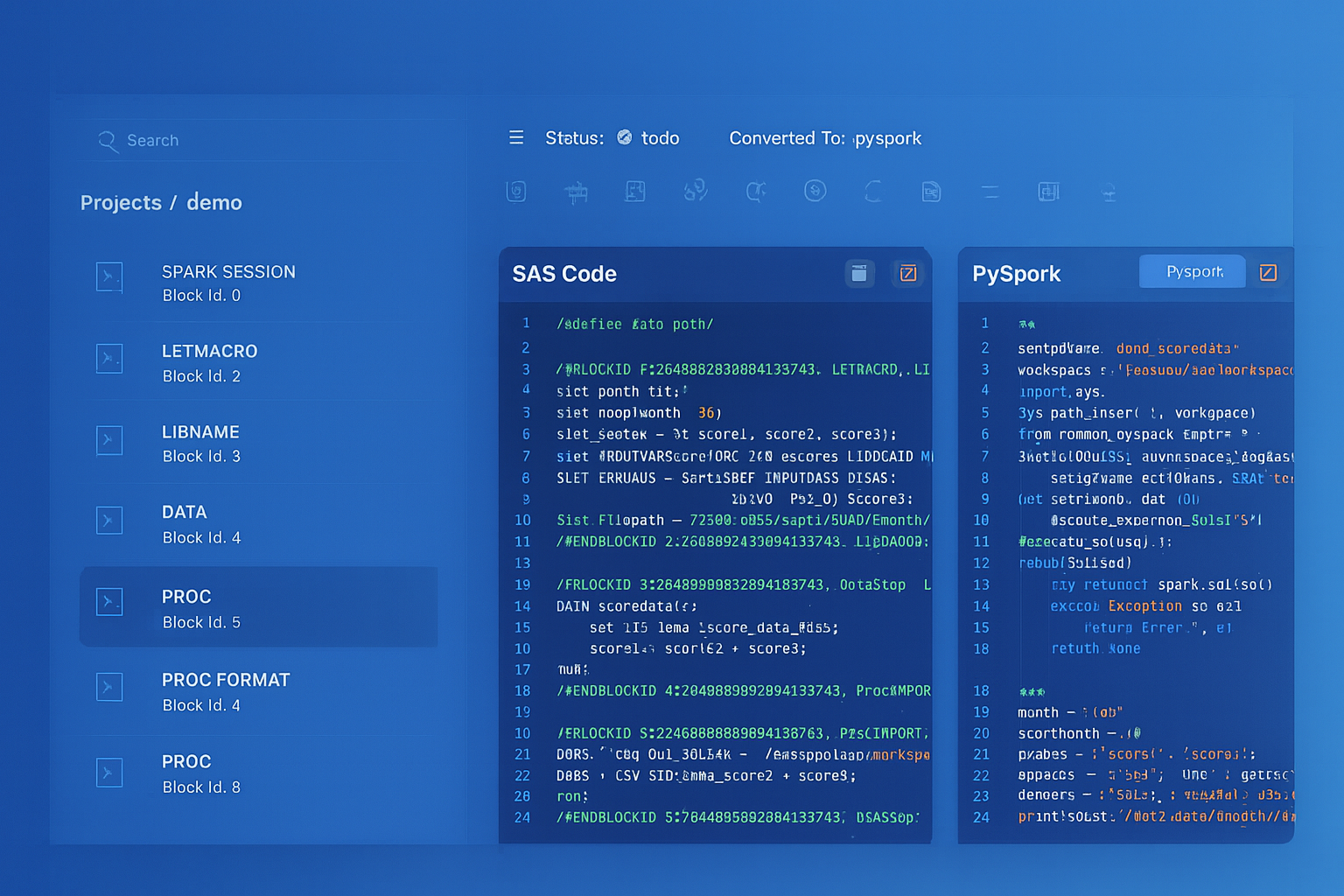
From parsed legacy code to production-ready modern equivalents — MigryX automates the entire conversion pipeline
From Legacy Complexity to Modern Clarity with MigryX
Legacy ETL platforms encode business logic in visual workflows, proprietary XML formats, and platform-specific constructs that are opaque to standard analysis tools. MigryX’s deep parsers crack open these proprietary formats and extract the underlying data transformations, business rules, and data flows. The result is complete transparency into what your legacy code actually does — often revealing undocumented logic that even the original developers had forgotten.
Handling Talend-Specific Patterns
tReplicate: Multi-Output Data Flows
Talend’s tReplicate sends the same data stream to multiple downstream components. In PySpark, this is trivially handled by assigning the DataFrame to multiple variables or simply referencing the same DataFrame in multiple downstream operations. Because PySpark DataFrames are lazily evaluated, there is no performance penalty for reusing a DataFrame — Spark’s query optimizer handles the execution plan.
tFlowToIterate: Row-Level Iteration
Talend’s tFlowToIterate converts a data flow into an iterate connection, allowing row-by-row processing. This is an anti-pattern in distributed computing, but sometimes necessary for tasks like calling external APIs per row or generating files per record. In PySpark, use .collect() to bring rows to the driver and iterate in Python, or use .foreach() for distributed row-level operations.
Talend Routines to Python Modules
Talend allows custom Java routines (shared code libraries) that are referenced across jobs. These are the equivalent of utility classes. In Databricks, these become Python modules stored in the workspace or as wheel packages. MigryX extracts Talend routine definitions and generates equivalent Python functions, including type conversions and null-handling logic.
Error Handling: tDie, tWarn, and tLogCatcher
Talend provides structured error handling through tDie (terminate with error code), tWarn (log warning and continue), and tLogCatcher (capture component-level errors). In Databricks, these translate to Python try/except blocks, structured logging, and Workflow task failure handling with retry policies.
# Talend error handling pattern:
#   tDBInput --OnComponentError--> tLogCatcher --tDie(exitCode=1)
#   tDBInput --OnComponentOk--> tMap --> tDBOutput

# PySpark equivalent with structured error handling
import logging

logger = logging.getLogger("etl_pipeline")

try:
    orders_df = spark.read.format("jdbc") \
        .option("url", jdbc_url) \
        .option("dbtable", "orders") \
        .load()
    logger.info(f"Successfully read {orders_df.count()} orders")
except Exception as e:
    logger.error(f"Failed to read orders: {str(e)}")
    dbutils.notebook.exit(f"FAILED: {str(e)}")

# Continue with transformation
result_df = orders_df.filter(F.col("status") != "cancelled")
result_df.write.format("delta").mode("overwrite").saveAsTable("gold.orders")
Data Ingestion: tFileInputDelimited to Auto Loader
One of the most common Talend patterns is reading delimited files from a directory, processing them, and writing to a database. Talend’s tFileInputDelimited reads CSV, TSV, and other delimited files with configurable headers, delimiters, and encoding. In Databricks, Auto Loader provides a far superior alternative for file ingestion: it automatically detects new files in cloud storage, processes them incrementally, handles schema evolution, and provides exactly-once guarantees through checkpoint tracking.
# Talend: tFileInputDelimited reading CSV files
# Configuration: directory="/data/incoming/", delimiter=",",
#                header=true, encoding="UTF-8"

# Databricks Auto Loader equivalent
orders_df = spark.readStream.format("cloudFiles") \
    .option("cloudFiles.format", "csv") \
    .option("header", "true") \
    .option("cloudFiles.schemaLocation", "/checkpoints/orders_schema") \
    .load("/mnt/landing/orders/")

# Write incrementally to Delta table
orders_df.writeStream \
    .format("delta") \
    .option("checkpointLocation", "/checkpoints/orders") \
    .outputMode("append") \
    .toTable("bronze.raw_orders")
Auto Loader is a significant upgrade over Talend’s file input components. It handles file discovery, deduplication, schema inference and evolution, and checkpoint-based exactly-once processing — all features that require custom code and external coordination in Talend. For organizations processing thousands of files per day, this alone justifies the migration.
Delta Lake: Replacing tDBOutput
Talend’s tDBOutput writes data to relational databases using JDBC. It supports insert, update, upsert (merge), and delete operations. In Databricks, Delta Lake tables replace traditional database writes with superior performance, ACID transactions, time travel, and schema enforcement.
# Talend tDBOutput: upsert on customer_id
# Configuration: action="Update or Insert", key="customer_id"

# Delta Lake MERGE equivalent (replaces tDBOutput upsert)
from delta.tables import DeltaTable

target = DeltaTable.forName(spark, "gold.customers")

target.alias("target").merge(
    source_df.alias("source"),
    "target.customer_id = source.customer_id"
).whenMatchedUpdateAll() \
 .whenNotMatchedInsertAll() \
 .execute()
How MigryX Automates Talend Migration
MigryX provides a dedicated Talend parser that automates the conversion of Talend Studio jobs to Databricks PySpark notebooks and Workflows. The automation covers the full migration lifecycle.
Step 1: .item File Parsing
MigryX’s Talend parser reads every .item file in a Talend project, extracting components, connections, context parameters, schemas, and metadata. The parser handles all standard Talend component types (200+ components) and resolves cross-references between jobs, joblets, and shared routines. The parser also reads .properties files to extract job-level metadata like version, author, and description.
Step 2: Dependency Graph Construction
The parser constructs a complete dependency graph of the Talend project. Job-to-job dependencies (via tRunJob), joblet references, routine imports, and context group inheritance are all resolved. This graph determines the order in which jobs are converted and how the resulting Databricks Workflow DAG is structured.
Step 3: Component-by-Component Translation
Each Talend component is translated to its PySpark equivalent using the mapping table above. Complex components like tMap are decomposed into multiple PySpark operations (join + withColumn + filter). The translation preserves column names, data types, null handling, and expression semantics. MigryX generates clean, readable PySpark code with comments linking each block back to the original Talend component.
Step 4: Workflow Generation
MigryX generates Databricks Workflow JSON that mirrors the original Talend job orchestration. Parent-child job relationships become task dependencies. Parallel subjobs are scheduled as concurrent tasks. Context parameter propagation becomes task value passing. Error handling logic (tDie, tWarn) becomes task-level retry and failure policies.
Step 5: Lineage and Validation
MigryX generates a complete lineage report mapping every Talend component to its PySpark equivalent, with source line numbers and target code locations. This audit trail is essential for validation and compliance. The platform also generates test notebooks that compare output data between the original Talend job and the migrated PySpark notebook, supporting parallel-run validation.
Key Takeaways
- Talend’s Qlik acquisition, licensing changes, and Java-based architecture are driving enterprises to Databricks’s PySpark-native, consumption-priced Lakehouse platform.
- Every Talend component has a direct PySpark equivalent: tMap maps to
.join()+.withColumn(), tFilterRow to.filter(), tAggregateRow to.groupBy().agg(), tSortRow to.orderBy(), and tJavaRow to PySpark UDFs. - Talend
.itemfiles are XML documents containing complete job definitions. Automated parsing extracts components, connections, contexts, and schemas for systematic conversion. - Talend file ingestion (tFileInputDelimited) upgrades to Databricks Auto Loader with incremental processing, schema evolution, and exactly-once guarantees.
- Talend database writes (tDBOutput) upgrade to Delta Lake MERGE operations with ACID transactions, time travel, and schema enforcement.
- Talend job orchestration (tRunJob, OnSubjobOk) maps directly to Databricks Workflow task dependencies with parallel execution support.
- MigryX automates the entire pipeline: .item parsing, dependency resolution, component translation, Workflow generation, and parallel-run validation.
Migrating from Talend to Databricks is not simply a tool swap — it is an architectural transformation from single-node Java execution to distributed PySpark processing on the Lakehouse. Every Talend component has a clear PySpark equivalent, and the .item file format is well-structured enough for automated parsing. The combination of PySpark’s expressive DataFrame API, Delta Lake’s transactional storage, Auto Loader’s incremental ingestion, and Databricks Workflows’s orchestration provides a complete replacement for the Talend ecosystem. MigryX makes this migration automated, auditable, and repeatable — transforming months of manual rework into days of validated conversion.
Why MigryX Is the Only Platform That Handles This Migration
The challenges described throughout this article are exactly what MigryX was built to solve. Here is how MigryX transforms this process:
- Deep AST parsing: MigryX’s custom-built parsers achieve 95% accuracy on every supported legacy technology — not through approximation, but through true semantic understanding.
- Merlin AI augmentation: Where deterministic parsing reaches its limit, Merlin AI resolves ambiguities and implicit behaviors, pushing accuracy to 99%.
- Complete coverage: MigryX supports 25+ source technologies including SAS, Informatica, DataStage, SSIS, Alteryx, Talend, ODI, Teradata, and Oracle PL/SQL.
- End-to-end automation: From parsing to conversion to validation — MigryX automates the entire pipeline, not just one step.
MigryX combines precision AST parsing with Merlin AI to deliver 99% accurate, production-ready migration — turning what used to be a multi-year manual effort into a streamlined, validated process. See it in action.
Ready to migrate Talend to Databricks?
See how MigryX converts your Talend Studio jobs to production-ready PySpark notebooks and Databricks Workflows with full component-level lineage.
Explore Databricks Migration Schedule a Demo