SQL Server Integration Services has been the backbone of ETL in the Microsoft ecosystem for over two decades. From its origins as DTS (Data Transformation Services) in SQL Server 2000 to the fully-featured SSIS that ships with modern SQL Server editions, it has powered data warehousing, data migration, and operational reporting pipelines across thousands of enterprises. But SSIS was designed for a world of on-premises SQL Server instances, Windows servers, and monolithic data warehouses — a world that is rapidly giving way to cloud-native Lakehouse architectures.
Databricks, built on Apache Spark, offers a fundamentally different paradigm: distributed compute that scales elastically, Delta Lake for ACID-compliant storage, Unity Catalog for governance, and Databricks Workflows for orchestration. Migrating from SSIS to Databricks is not a lift-and-shift. It is an architectural transformation that replaces XML-defined control flows and data flows with PySpark notebooks, Databricks SQL queries, and declarative workflow DAGs.
This guide covers every dimension of the migration: why organizations are moving, how the architectures map, what each SSIS component becomes in Databricks, how to parse .dtsx XML programmatically, and how MigryX automates the entire process at enterprise scale.
Why SSIS to Databricks: The Strategic Case
The decision to migrate SSIS to Databricks is driven by a convergence of technical constraints and strategic imperatives that make the status quo increasingly untenable.
SQL Server Dependency and Licensing
SSIS is tightly coupled to SQL Server. The SSIS catalog (SSISDB) runs on SQL Server, the Integration Services runtime requires Windows, and most SSIS packages are designed to extract from and load into SQL Server databases. This coupling creates a licensing chain: running SSIS requires SQL Server Enterprise or Standard licenses, Windows Server licenses, and often dedicated hardware. For organizations processing terabytes of data daily, this licensing cost can exceed seven figures annually — before accounting for hardware, storage, and operations staff.
Databricks decouples compute from storage entirely. You pay for compute only when jobs run, and data lives in open formats (Delta Lake, Parquet, CSV) on cloud object storage (S3, ADLS, GCS) at a fraction of the cost of SQL Server storage. The shift from perpetual licensing to consumption-based pricing alone can cut ETL infrastructure costs by 60–80%.
Scaling Limits of the SSIS Engine
SSIS executes data flows in a single-node, in-memory buffer pipeline. Each Data Flow Task reads rows into memory buffers, applies transformations synchronously, and writes the results to a destination. This architecture works well for datasets that fit in the memory of a single server — typically up to a few hundred gigabytes. Beyond that, SSIS packages fail with out-of-memory errors, require complex partitioning schemes, or resort to staging data to disk, which destroys performance.
Spark distributes data across a cluster of workers. A dataset that overwhelms a single SSIS server is trivially parallelized across 8, 16, or 64 Spark worker nodes. There is no theoretical upper limit — organizations routinely process petabytes in single Spark jobs. Auto-scaling clusters in Databricks mean that infrastructure grows and shrinks with the data, without any manual intervention or re-architecting of the pipeline.
The Lakehouse Opportunity
SSIS pipelines typically load data into SQL Server data warehouses or Analysis Services cubes. These are closed ecosystems — the data is locked behind SQL Server’s proprietary storage engine, accessible only through T-SQL queries or SSAS/MDX connections. Sharing data with data science teams, machine learning pipelines, or real-time analytics requires extracting it again, creating redundant copies and governance headaches.
The Databricks Lakehouse unifies data warehousing, data science, and machine learning on a single platform. Data lands once in Delta Lake and is accessible to SQL analysts via Databricks SQL, to data scientists via PySpark or R notebooks, and to ML engineers via MLflow — all governed by Unity Catalog with row-level security, column masking, and full lineage tracking. This eliminates the data silos that SSIS pipelines perpetuate.

SSIS to Databricks migration — automated end-to-end by MigryX
Architecture Comparison: SSIS vs. Databricks
Understanding the fundamental architectural differences is essential before mapping individual components. SSIS and Databricks solve the same problem — moving and transforming data — but their execution models are radically different.
SSIS: Control Flow + Data Flow
An SSIS package (.dtsx file) is an XML document that defines two layers of execution. The Control Flow is the outer orchestration layer: it defines the sequence of tasks, precedence constraints (success/failure/completion), containers that group tasks, and event handlers. The Data Flow is the inner transformation layer: it defines a pipeline of sources, transformations, and destinations that process rows through in-memory buffers.
Control Flow tasks include Execute SQL Task, Script Task, File System Task, Send Mail Task, Execute Process Task, and Data Flow Task (which contains the Data Flow itself). These tasks execute sequentially or in parallel based on precedence constraints, and they operate at the package level — they do not process individual rows.
Data Flow components include OLE DB Source, Flat File Source, Derived Column, Conditional Split, Lookup, Merge Join, Union All, Aggregate, Sort, Slowly Changing Dimension, and OLE DB Destination. These components process rows in a streaming fashion through in-memory buffers, with each component reading from its input buffer and writing to its output buffer.
Databricks: Notebooks + Workflows + Delta Lake
Databricks replaces both layers with a unified compute model. PySpark notebooks replace both the Control Flow logic (if/else, loops, error handling) and the Data Flow transformations (reads, joins, filters, aggregations, writes). Databricks Workflows replace the Control Flow’s orchestration: they define task dependencies, retries, conditional execution, and parameterization as a declarative JSON DAG. Delta Lake replaces the relational destinations: it provides ACID transactions, schema enforcement, time travel, and Change Data Feed on cloud object storage.
The key insight is that SSIS separates orchestration (Control Flow) from transformation (Data Flow), while Databricks collapses transformation into code (PySpark/SQL) and extracts orchestration into a higher-level construct (Workflows). This means that a single SSIS package typically becomes one Databricks Workflow with multiple tasks, each task being a PySpark notebook or a Databricks SQL query.
MigryX: Purpose-Built Parsers for Every Legacy Technology
MigryX does not rely on generic text matching or regex-based parsing. For every supported legacy technology, MigryX has built a dedicated Abstract Syntax Tree (AST) parser that understands the full grammar and semantics of that platform. This means MigryX captures not just what the code does, but why — understanding implicit behaviors, default settings, and platform-specific quirks that generic tools miss entirely.
Component Mapping: SSIS to Databricks
The following table provides a comprehensive mapping of every major SSIS component to its Databricks equivalent. This is the reference architecture that MigryX uses when converting .dtsx packages automatically.
| SSIS Component | Databricks Equivalent | Notes |
|---|---|---|
| Data Flow Task | PySpark job (notebook) | Each Data Flow becomes a PySpark notebook that reads, transforms, and writes DataFrames |
| Execute SQL Task | Databricks SQL query | T-SQL is transpiled to Databricks SQL (Spark SQL dialect) |
| Script Task (C#/VB.NET) | Python notebook cell | Business logic is rewritten in Python; .NET APIs map to Python equivalents |
| For Each Loop Container | Workflow task loop / ForEach task | File iteration uses dbutils.fs.ls(); DB iteration uses SQL queries |
| Sequence Container | Workflow task group | Logical grouping of dependent tasks within a Workflow DAG |
| SSIS Variables | Databricks widgets / job parameters | Package variables become notebook widgets or Workflow parameter values |
| Connection Managers | Databricks secrets + Unity Catalog connections | Connection strings stored in Databricks secret scopes; external connections via Unity Catalog |
| .dtsx package file | PySpark .py notebook | The entire package is decomposed into one or more notebooks |
| Derived Column | .withColumn() | Column expressions map to PySpark Column expressions or SQL functions |
| Lookup Transform | Broadcast join | Small lookup tables are broadcast; large lookups use standard joins |
| Conditional Split | .filter() / F.when() | Row routing becomes DataFrame filter or when/otherwise column logic |
| OLE DB Source | spark.read.jdbc() | JDBC connection with pushdown predicates for partitioned reads |
| Flat File Source | Auto Loader (cloudFiles) | Auto Loader provides schema inference, evolution, and exactly-once ingestion |
| OLE DB Destination | .write.format("delta") | Writes to Delta Lake tables with merge, append, or overwrite semantics |
| Merge Join | .join() | Spark join with configurable join type (inner, left, right, full) |
| Union All | .unionByName() | Schema-aware union with allowMissingColumns option |
| Aggregate | .groupBy().agg() | Distributed aggregation across the Spark cluster |
| Sort | .orderBy() | Global sort or partition-level sort depending on downstream requirements |
| Slowly Changing Dimension | Delta MERGE INTO | Type 1/2 SCD logic expressed as MERGE with WHEN MATCHED / NOT MATCHED |
| Precedence Constraints | Workflow task dependencies | Success/failure/completion semantics map to depends_on with condition tasks |
| Event Handlers | Workflow notifications + try/except | OnError handlers become try/except blocks or Workflow failure notifications |
| Package Configurations | Workflow parameters + secret scopes | Environment-specific values externalized to Databricks job parameters |
Parsing .dtsx XML: Understanding the Source
Every SSIS package is a .dtsx file — an XML document that follows the Microsoft DTS namespace schema. To migrate SSIS packages programmatically, you must parse this XML and extract the structural and semantic information embedded in it. This is non-trivial because Microsoft’s .dtsx format is deeply nested, uses GUIDs as identifiers, and encodes Data Flow pipelines in a binary-like XML substructure called the “pipeline layout.”
Anatomy of a .dtsx File
A .dtsx file contains several major sections. The DTS:ConnectionManagers section defines all database connections, file connections, HTTP connections, and other external resources. Each connection manager has a CreationName (e.g., OLEDB, FLATFILE, ADO.NET) and a ConnectionString property.
The DTS:Executables section contains the Control Flow — all tasks and containers in the package. Each executable has a CreationName that identifies its type (e.g., Microsoft.ExecuteSQLTask, Microsoft.Pipeline for Data Flow, STOCK:SEQUENCE for Sequence Containers). Nested executables represent containers with child tasks.
The DTS:PrecedenceConstraints section defines the execution order. Each constraint references a source and destination executable by GUID and specifies a Value (Success=0, Failure=1, Completion=2) and an optional expression for conditional execution.
For Data Flow Tasks (Microsoft.Pipeline), the pipeline element contains components — each component representing a source, transformation, or destination. Components have componentClassID attributes that identify their type (e.g., Microsoft.OLEDBSource, Microsoft.DerivedColumn, Microsoft.Lookup). The inputs and outputs of each component define the data flow paths between them.
Extracting Transformation Logic
The critical challenge in .dtsx parsing is extracting the actual transformation logic from each component. A Derived Column component stores its expressions in DTS:Property elements with a name="Expression" attribute. These expressions use SSIS Expression Language, which has its own syntax for string manipulation (SUBSTRING, REPLACE, TRIM), type casting ((DT_STR,...), (DT_I4)), null handling (ISNULL, REPLACENULL), and conditional logic (?: ternary operator).
<!-- SSIS Derived Column Expression in .dtsx XML -->
<component componentClassID="Microsoft.DerivedColumn">
  <outputs>
    <output name="Derived Column Output">
      <outputColumns>
        <outputColumn name="FullName">
          <properties>
            <property name="Expression">
              TRIM(FirstName) + " " + TRIM(LastName)
            </property>
          </properties>
        </outputColumn>
        <outputColumn name="AgeGroup">
          <properties>
            <property name="Expression">
              Age < 18 ? "Minor" : Age < 65 ? "Adult" : "Senior"
            </property>
          </properties>
        </outputColumn>
      </outputColumns>
    </output>
  </outputs>
</component>
The equivalent PySpark code generated by MigryX transforms these SSIS expressions into native PySpark Column operations:
from pyspark.sql import functions as F

df = df.withColumn(
    "FullName",
    F.concat(F.trim(F.col("FirstName")), F.lit(" "), F.trim(F.col("LastName")))
).withColumn(
    "AgeGroup",
    F.when(F.col("Age") < 18, "Minor")
     .when(F.col("Age") < 65, "Adult")
     .otherwise("Senior")
)
Lookup Transformations
SSIS Lookup transformations are one of the most common components in production packages. They perform reference-data enrichment by joining incoming rows against a cached dataset. The Lookup component supports three cache modes: Full Cache (preloads the entire reference table into memory), Partial Cache (caches recently used rows), and No Cache (queries the database for every row).
In Databricks, a Full Cache Lookup maps directly to a broadcast join. The reference table is small enough to fit in memory on each worker node, so Spark broadcasts it to all executors for a highly efficient join. Partial Cache and No Cache lookups map to standard Spark joins, where the reference table is partitioned across the cluster.
# SSIS Full Cache Lookup -> PySpark Broadcast Join
from pyspark.sql import functions as F

# Read the fact/incoming data
orders_df = spark.read.format("delta").table("bronze.orders")

# Read the lookup/reference data (small table)
customers_df = spark.read.format("delta").table("dim.customers")

# Broadcast join (equivalent to SSIS Full Cache Lookup)
enriched_df = orders_df.join(
    F.broadcast(customers_df),
    orders_df.CustomerID == customers_df.CustomerID,
    "left"
).select(
    orders_df["*"],
    customers_df["CustomerName"],
    customers_df["CustomerSegment"],
    customers_df["Region"]
)
Converting Control Flow to Databricks Workflows
The SSIS Control Flow defines the execution sequence of tasks within a package. Tasks execute based on precedence constraints that specify whether the next task should run on success, failure, or completion of the previous task. This maps directly to Databricks Workflows, which define task dependencies as a directed acyclic graph (DAG).
Precedence Constraints to Task Dependencies
In SSIS, a precedence constraint connects two tasks with a condition. A success constraint means “run the next task only if the previous task succeeded.” A failure constraint means “run the next task only if the previous task failed” (commonly used for error handling). A completion constraint means “run the next task regardless of whether the previous task succeeded or failed.”
Databricks Workflows express these semantics through the depends_on property of each task. The default behavior is success-dependency: a task runs only when all its upstream dependencies succeed. For failure handling, you use the if/else condition task type or a dedicated error-handling task with depends_on set to the upstream task and a run_if condition of AT_LEAST_ONE_FAILED.
# Databricks Workflow JSON (equivalent to SSIS Control Flow)
{
  "name": "customer_etl_pipeline",
  "tasks": [
    {
      "task_key": "extract_customers",
      "notebook_task": {
        "notebook_path": "/Repos/etl/extract_customers"
      }
    },
    {
      "task_key": "transform_customers",
      "depends_on": [{"task_key": "extract_customers"}],
      "notebook_task": {
        "notebook_path": "/Repos/etl/transform_customers"
      }
    },
    {
      "task_key": "load_dim_customer",
      "depends_on": [{"task_key": "transform_customers"}],
      "notebook_task": {
        "notebook_path": "/Repos/etl/load_dim_customer"
      }
    },
    {
      "task_key": "error_notification",
      "depends_on": [{"task_key": "transform_customers"}],
      "run_if": "AT_LEAST_ONE_FAILED",
      "notebook_task": {
        "notebook_path": "/Repos/etl/send_error_alert"
      }
    }
  ]
}
For Each Loop Container to Iterative Tasks
The SSIS For Each Loop Container iterates over a collection — files in a directory, rows in a recordset, items in a variable — and executes its child tasks once for each item. This is one of the most powerful SSIS patterns, commonly used for processing multiple files, loading multiple tables, or executing parameterized operations.
In Databricks, file-based iteration is replaced by Auto Loader, which automatically detects and processes new files as they arrive in cloud storage. For other iteration patterns, Databricks Workflows now support the for_each_task type, which iterates over a list of values and executes a nested task for each. Alternatively, the iteration logic can be expressed directly in PySpark using Python loops:
# SSIS For Each Loop (iterate over files) -> PySpark with dbutils
import os
from pyspark.sql import functions as F

# List all CSV files in the landing zone
files = dbutils.fs.ls("/mnt/landing/daily_sales/")
csv_files = [f.path for f in files if f.name.endswith(".csv")]

# Process each file (equivalent to SSIS For Each Loop)
for file_path in csv_files:
    df = (spark.read
          .option("header", "true")
          .option("inferSchema", "true")
          .csv(file_path))

    df = df.withColumn("source_file", F.lit(os.path.basename(file_path)))
    df = df.withColumn("load_timestamp", F.current_timestamp())

    df.write.format("delta").mode("append").saveAsTable("bronze.daily_sales")

    print(f"Processed: {file_path}, rows: {df.count()}")
However, for production workloads, Auto Loader is the preferred approach because it handles schema evolution, exactly-once processing, and automatic file discovery without any custom iteration code:
# Production replacement for SSIS For Each Loop: Auto Loader
df = (spark.readStream
      .format("cloudFiles")
      .option("cloudFiles.format", "csv")
      .option("cloudFiles.schemaLocation", "/mnt/checkpoints/daily_sales_schema")
      .option("header", "true")
      .load("/mnt/landing/daily_sales/"))

df = (df.withColumn("source_file", F.input_file_name())
        .withColumn("load_timestamp", F.current_timestamp()))

(df.writeStream
   .format("delta")
   .option("checkpointLocation", "/mnt/checkpoints/daily_sales")
   .trigger(availableNow=True)
   .toTable("bronze.daily_sales"))
Converting Data Flow to PySpark
The SSIS Data Flow is where the bulk of the transformation logic lives. Each Data Flow Task contains a pipeline of sources, transformations, and destinations connected by data paths. Converting this to PySpark requires understanding each component type and its PySpark equivalent.
Conditional Split to DataFrame Filters
The SSIS Conditional Split transformation routes rows to different outputs based on boolean expressions. Each output has a name and a condition, and rows are evaluated against the conditions in order — the first matching condition wins. Rows that do not match any condition go to the default output.
# SSIS Conditional Split -> PySpark filter/when
from pyspark.sql import functions as F

# Read source data
transactions_df = spark.read.format("delta").table("bronze.transactions")

# Conditional Split: route rows to different DataFrames
high_value_df = transactions_df.filter(F.col("amount") > 10000)
medium_value_df = transactions_df.filter(
    (F.col("amount") > 1000) & (F.col("amount") <= 10000)
)
low_value_df = transactions_df.filter(F.col("amount") <= 1000)

# Write each output to a different Delta table
high_value_df.write.format("delta").mode("append").saveAsTable("silver.high_value_txn")
medium_value_df.write.format("delta").mode("append").saveAsTable("silver.medium_value_txn")
low_value_df.write.format("delta").mode("append").saveAsTable("silver.low_value_txn")
Slowly Changing Dimensions with Delta MERGE
SSIS includes a Slowly Changing Dimension (SCD) wizard that generates a data flow subgraph for Type 1 (overwrite), Type 2 (historical tracking), and Type 3 (previous value column) SCD logic. This wizard-generated subgraph is notoriously fragile and slow — it processes rows one at a time and generates complex XML in the .dtsx file.
Delta Lake’s MERGE INTO statement replaces the entire SCD wizard with a single SQL statement that executes as a distributed Spark operation. Type 2 SCD, which requires inserting new historical records and expiring old ones, is expressed cleanly with WHEN MATCHED and WHEN NOT MATCHED clauses:
-- SSIS SCD Type 2 -> Delta MERGE INTO
MERGE INTO gold.dim_customer AS target
USING silver.stg_customer AS source
ON target.customer_id = source.customer_id
   AND target.is_current = true

WHEN MATCHED AND (
    target.customer_name != source.customer_name
    OR target.email != source.email
    OR target.address != source.address
) THEN UPDATE SET
    is_current = false,
    end_date = current_date(),
    updated_at = current_timestamp()

WHEN NOT MATCHED THEN INSERT (
    customer_id, customer_name, email, address,
    is_current, start_date, end_date, created_at, updated_at
) VALUES (
    source.customer_id, source.customer_name, source.email, source.address,
    true, current_date(), null, current_timestamp(), current_timestamp()
);

-- Insert new version for changed records
INSERT INTO gold.dim_customer
SELECT
    s.customer_id, s.customer_name, s.email, s.address,
    true, current_date(), null, current_timestamp(), current_timestamp()
FROM silver.stg_customer s
JOIN gold.dim_customer t
  ON s.customer_id = t.customer_id
  AND t.is_current = false
  AND t.end_date = current_date();
Connection Managers to Databricks Secrets and Unity Catalog
SSIS Connection Managers store database connection strings, file paths, FTP credentials, and other external resource references. These are defined in the .dtsx XML and can be parameterized through package configurations, project parameters, or environment variables in the SSIS Catalog.
In Databricks, sensitive credentials are stored in secret scopes backed by Azure Key Vault, AWS Secrets Manager, or Databricks-managed secret storage. Non-sensitive configuration (file paths, table names, schema names) is passed through Workflow parameters or notebook widgets.
For database connections, Databricks Unity Catalog now supports external connections that define JDBC connection properties centrally and make them available to all users with appropriate permissions. This is the Databricks equivalent of a shared SSIS Connection Manager — a centrally managed, permission-controlled database connection definition.
# SSIS Connection Manager -> Databricks Secrets + JDBC
# Retrieve credentials from Databricks secret scope
jdbc_url = dbutils.secrets.get(scope="etl-connections", key="sqlserver-jdbc-url")
jdbc_user = dbutils.secrets.get(scope="etl-connections", key="sqlserver-username")
jdbc_pass = dbutils.secrets.get(scope="etl-connections", key="sqlserver-password")

# Read from SQL Server (equivalent to OLE DB Source with Connection Manager)
source_df = (spark.read
    .format("jdbc")
    .option("url", jdbc_url)
    .option("dbtable", "dbo.Customers")
    .option("user", jdbc_user)
    .option("password", jdbc_pass)
    .option("fetchsize", "10000")
    .option("partitionColumn", "CustomerID")
    .option("lowerBound", "1")
    .option("upperBound", "1000000")
    .option("numPartitions", "16")
    .load())
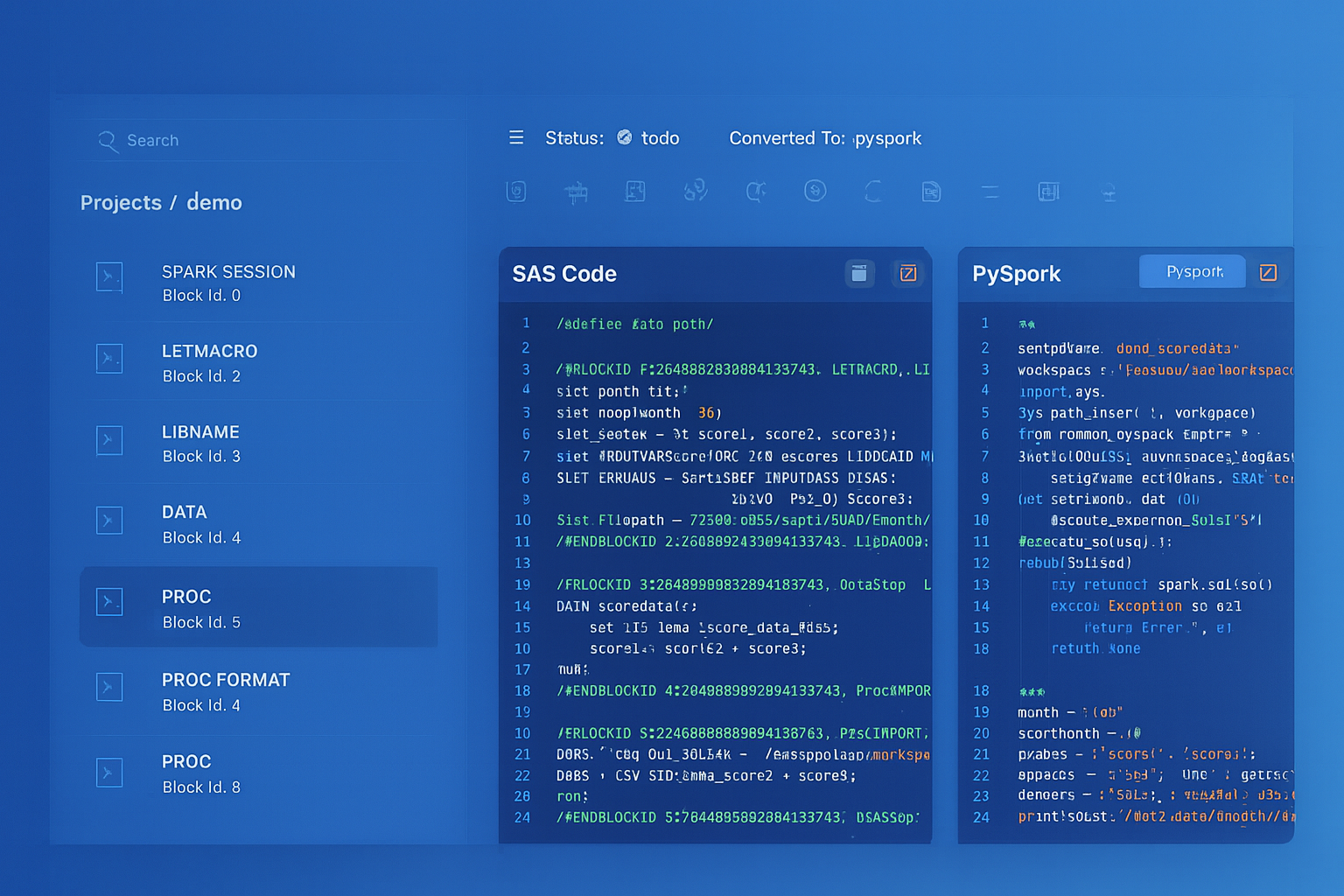
From parsed legacy code to production-ready modern equivalents — MigryX automates the entire conversion pipeline
From Legacy Complexity to Modern Clarity with MigryX
Legacy ETL platforms encode business logic in visual workflows, proprietary XML formats, and platform-specific constructs that are opaque to standard analysis tools. MigryX’s deep parsers crack open these proprietary formats and extract the underlying data transformations, business rules, and data flows. The result is complete transparency into what your legacy code actually does — often revealing undocumented logic that even the original developers had forgotten.
SSIS Expression Language to PySpark Expressions
SSIS has its own expression language used in Derived Column transformations, Conditional Split conditions, and variable expressions. This language has unique syntax that differs from both T-SQL and standard programming languages. MigryX’s expression transpiler handles over 200 SSIS expression functions, mapping each to its PySpark equivalent.
String Functions
SSIS uses SUBSTRING(column, start, length) with 1-based indexing, while PySpark uses F.substring(col, start, length), also 1-based. SSIS LEN(column) maps to F.length(col). SSIS REPLACE(column, old, new) maps to F.regexp_replace(col, old, new) or F.translate(col, old, new) for character-level replacement. SSIS UPPER/LOWER/TRIM/LTRIM/RTRIM have direct PySpark equivalents.
Type Casting
SSIS type casts use a unique parenthetical syntax: (DT_STR, 50, 1252) casts to a 50-character string with code page 1252, (DT_I4) casts to a 4-byte integer, (DT_DBTIMESTAMP) casts to a datetime. PySpark uses .cast(StringType()), .cast(IntegerType()), and .cast(TimestampType()) respectively. MigryX maps every DTS data type to its Spark SQL equivalent.
Null Handling
SSIS uses ISNULL(column) to test for nulls (returns boolean) and REPLACENULL(column, replacement) to provide defaults. PySpark uses F.isnull(col) or F.col("x").isNull() for testing and F.coalesce(col, F.lit(default)) for replacement. The REPLACENULL to F.coalesce mapping is one of the most frequent transformations in any SSIS migration.
Execute SQL Tasks: T-SQL to Databricks SQL
Execute SQL Task is one of the most commonly used SSIS control flow tasks. It executes a T-SQL statement against a SQL Server database, optionally returning a result set that is stored in a variable. The T-SQL statements range from simple TRUNCATE TABLE operations to complex stored procedure calls with output parameters.
Migrating Execute SQL Tasks requires transpiling T-SQL to Databricks SQL (Spark SQL). Most standard SQL operations — SELECT, INSERT, UPDATE, DELETE, MERGE — are syntactically identical or very similar. The key differences involve T-SQL-specific features like temporary tables (#temp becomes CREATE OR REPLACE TEMP VIEW), system functions (GETDATE() becomes current_timestamp()), and string concatenation (+ becomes || or CONCAT()).
-- SSIS Execute SQL Task (T-SQL)
DECLARE @CutoffDate DATETIME = DATEADD(DAY, -30, GETDATE())

INSERT INTO dbo.MonthlySnapshot
SELECT
    CustomerID,
    SUM(OrderAmount) AS TotalOrders,
    COUNT(*) AS OrderCount,
    GETDATE() AS SnapshotDate
FROM dbo.Orders
WHERE OrderDate >= @CutoffDate
GROUP BY CustomerID

-- Databricks SQL equivalent
INSERT INTO gold.monthly_snapshot
SELECT
    customer_id,
    SUM(order_amount) AS total_orders,
    COUNT(*) AS order_count,
    current_timestamp() AS snapshot_date
FROM silver.orders
WHERE order_date >= date_sub(current_date(), 30)
GROUP BY customer_id
MigryX Automated SSIS-to-Databricks Conversion
MigryX provides a fully automated pipeline for converting SSIS packages to Databricks. The process works in four phases: parse, analyze, generate, and validate.
Phase 1: .dtsx Parsing
MigryX’s SSIS parser reads .dtsx XML files and builds an internal Abstract Syntax Tree (AST) that represents the package structure. The parser handles all SSIS namespaces (DTS, SQLTask, Pipeline), resolves GUID references between components, and extracts every expression, SQL statement, connection string, and configuration value. For SSIS projects (.ispac files), the parser also processes the project manifest, project parameters, and shared connection managers.
Phase 2: Dependency Analysis
MigryX analyzes the parsed AST to determine data lineage, task dependencies, and cross-package references. This includes resolving variable references across tasks (e.g., an Execute SQL Task that sets a variable used by a subsequent Data Flow Task’s WHERE clause), identifying shared connection managers used by multiple packages, and mapping the execution order defined by precedence constraints into a Workflow DAG.
Phase 3: Code Generation
For each SSIS package, MigryX generates one or more PySpark notebooks (one per Data Flow Task), Databricks SQL scripts (one per Execute SQL Task), and a Workflow definition JSON that orchestrates all generated assets. The code generation includes full expression transpilation (SSIS expressions to PySpark), SQL transpilation (T-SQL to Databricks SQL), and connection migration (SSIS Connection Managers to Databricks secret references).
Phase 4: Validation
MigryX generates a validation notebook that reads both the original SSIS output (staged in a Delta table) and the new Databricks output, then compares row counts, column checksums, and sample data to verify semantic equivalence. This parallel-run validation is critical for building confidence in the migrated pipelines.
MigryX has converted over 4,000 SSIS packages for enterprise customers, processing .dtsx files with 100+ Data Flow components and 50+ Execute SQL Tasks per package. The automated conversion rate averages 92% — meaning 92% of the generated PySpark code requires zero manual modification to pass parallel-run validation.
Migration Strategy: Phased Approach
Attempting to migrate all SSIS packages simultaneously is a recipe for failure. A phased approach — organized by complexity and business criticality — delivers value incrementally and manages risk effectively.
Phase 1: Simple Extract-Load Packages
Start with SSIS packages that simply extract data from SQL Server and load it into another database or file system. These packages have minimal transformation logic and map directly to Auto Loader ingestion or spark.read.jdbc() followed by .write.format("delta"). This phase builds team confidence and establishes the Databricks development workflow.
Phase 2: Transformation-Heavy Packages
Next, migrate packages with significant Data Flow logic: Derived Columns, Lookups, Conditional Splits, Aggregations, and Merges. These require PySpark DataFrame operations and are where MigryX’s automated conversion delivers the most value. Run parallel validation to verify row-level equivalence.
Phase 3: Complex Orchestration
Finally, migrate packages with complex Control Flow patterns: nested containers, For Each Loops, dynamic SQL, error handling, and cross-package dependencies. These require Databricks Workflows with conditional logic, parameterized tasks, and shared notebook libraries. This phase also involves migrating the SSIS Catalog (environments, configurations, schedules) to Databricks Workflow triggers and job clusters.
Common Pitfalls and Solutions
Several issues arise repeatedly in SSIS-to-Databricks migrations, and understanding them upfront saves significant debugging time.
Data Type Mismatches
SSIS uses DTS data types (DT_WSTR, DT_NUMERIC, DT_DBTIMESTAMP) that do not always map cleanly to Spark types. For example, SSIS DT_NUMERIC(18,4) maps to Spark DecimalType(18,4), but the rounding behavior can differ. MigryX includes a data type compatibility layer that flags these edge cases and generates explicit cast operations.
Row-Level Error Handling
SSIS supports row-level error redirection: when a transformation fails for a specific row (e.g., a type conversion error), that row can be redirected to an error output rather than failing the entire pipeline. PySpark does not have native row-level error redirection. MigryX handles this by wrapping transformation logic in try/except blocks within UDFs, or by using F.try_cast() functions that return null on conversion failure instead of raising an exception.
Transaction Semantics
SSIS packages can be wrapped in distributed transactions (MSDTC) that ensure atomicity across multiple database operations. Databricks does not support distributed transactions across external systems. For critical atomicity requirements, MigryX generates compensating transaction patterns: write to staging tables, validate, then atomically swap staging with production using Delta Lake’s REPLACE TABLE or INSERT OVERWRITE.
Key Takeaways
- SSIS packages (.dtsx) are XML documents with two layers: Control Flow (orchestration) maps to Databricks Workflows, and Data Flow (transformation) maps to PySpark notebooks.
- Every SSIS component has a direct Databricks equivalent: Derived Column to
.withColumn(), Lookup to broadcast join, Conditional Split to.filter(), OLE DB Source tospark.read.jdbc(), Flat File Source to Auto Loader. - SSIS Expression Language has over 200 functions that MigryX transpiles to PySpark Column operations, including type casts, null handling, string manipulation, and date arithmetic.
- T-SQL in Execute SQL Tasks is transpiled to Databricks SQL, with automatic conversion of temp tables, system functions, and SQL Server-specific syntax.
- Connection Managers migrate to Databricks secret scopes and Unity Catalog external connections, with credentials stored in Azure Key Vault or AWS Secrets Manager.
- Slowly Changing Dimension wizard logic collapses to a single Delta MERGE INTO statement that executes as a distributed Spark operation.
- MigryX automates the entire conversion pipeline: parse .dtsx XML, analyze dependencies, generate PySpark/SQL/Workflow code, and validate with parallel-run comparison.
Migrating SSIS to Databricks is a transformative step that replaces a Windows-bound, SQL Server-dependent, single-node ETL engine with a distributed, cloud-native Lakehouse platform. The component mappings are well-defined, the code patterns are established, and MigryX automates the heavy lifting — from parsing .dtsx XML to generating production-ready PySpark notebooks and Databricks Workflow definitions. The result is an ETL architecture that scales with your data, integrates with your entire analytics ecosystem, and costs a fraction of the legacy infrastructure it replaces.
Why MigryX Is the Only Platform That Handles This Migration
The challenges described throughout this article are exactly what MigryX was built to solve. Here is how MigryX transforms this process:
- Deep AST parsing: MigryX’s custom-built parsers achieve 95% accuracy on every supported legacy technology — not through approximation, but through true semantic understanding.
- Merlin AI augmentation: Where deterministic parsing reaches its limit, Merlin AI resolves ambiguities and implicit behaviors, pushing accuracy to 99%.
- Complete coverage: MigryX supports 25+ source technologies including SAS, Informatica, DataStage, SSIS, Alteryx, Talend, ODI, Teradata, and Oracle PL/SQL.
- End-to-end automation: From parsing to conversion to validation — MigryX automates the entire pipeline, not just one step.
MigryX combines precision AST parsing with Merlin AI to deliver 99% accurate, production-ready migration — turning what used to be a multi-year manual effort into a streamlined, validated process. See it in action.
Ready to migrate your SSIS packages to Databricks?
See how MigryX automatically converts .dtsx packages to PySpark notebooks and Databricks Workflows with full expression transpilation and parallel-run validation.
Explore Databricks Migration Schedule a Demo